13 min readCase studies
Zimbra OSE Has Run Out of Road: What an Enterprise Mail Migration Actually Costs
Zimbra Open Source Edition is end of life and every release before 10.1 is unsupported. What our own move from Zimbra to Mailu to a managed provider cost in hours, money and data that IMAP leaves behind.
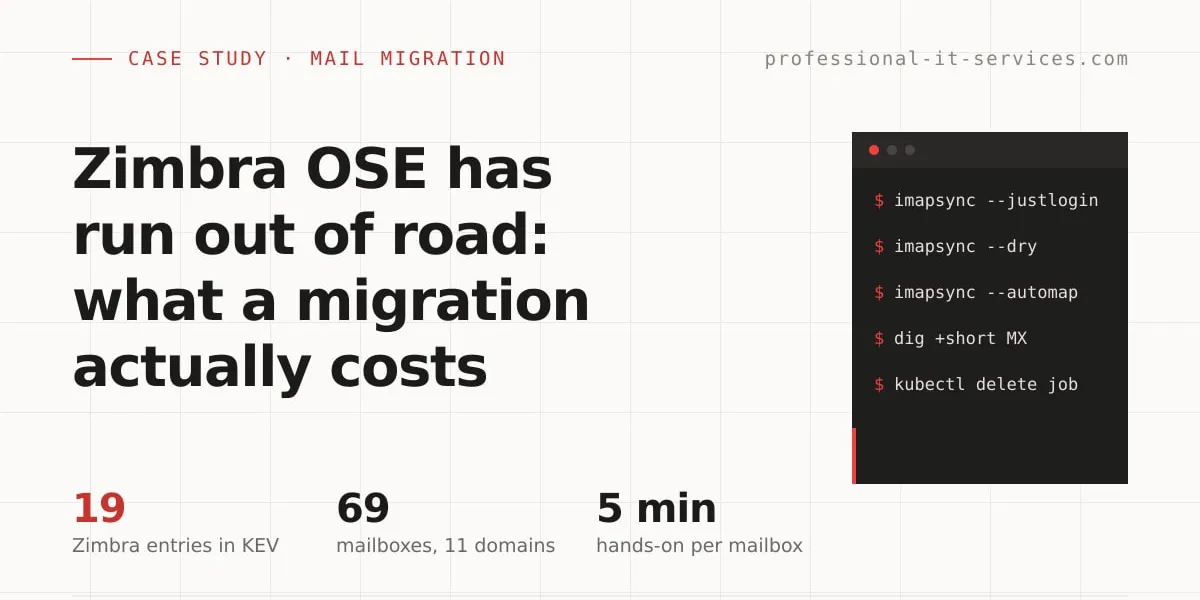
Zimbra Open Source Edition has run out of road. Zimbra’s own FAQ calls it “an end-of-life version with no updates or support”, every release line before 10.1 is past its support dates, and five Zimbra vulnerabilities were added to CISA’s list of flaws exploited in the wild in 2026 alone. The paid 10.1 line is a different case: it is supported until 31 December 2027.
Moving off it costs less money than most teams expect, and more attention. On our own migration the hands-on work is about 15 minutes per domain plus 5 minutes per mailbox, the hosting bill ended up roughly where it started, and the real cost sits in what IMAP does not carry: calendars, contacts, filters and shares.
We have been on every side of this decision. We ran Zimbra for many years, for ourselves and for clients with on-premise installs, moved to Mailu in 2024, put Mailu on Kubernetes in 2025, and in 2026 we are retiring it for a managed provider. The numbers below were measured read-only on 8 October 2026 on our production K3s cluster. Client details are anonymised.
The migration at a glance
| Question | Short answer |
|---|---|
| Is Zimbra finished? | OSE and every release before 10.1: yes. Licensed 10.1: supported to 31 December 2027 |
| What does “unsupported” mean? | 19 Zimbra entries in the CISA KEV catalogue, 5 of them added in 2026 |
| How much hands-on time? | About 15 minutes per domain plus 5 minutes per mailbox |
| What does IMAP leave behind? | Calendars, contacts, filters, signatures, shares, distribution lists, Briefcase |
| What did our self-hosted stack cost? | About €11 a month in infrastructure, plus the operations time |
| What does the managed plan cost? | $120 a year, flat, for a 75 GB pool |
| What broke? | The sync job ran out of memory on mailboxes above 10 GB |
Is Zimbra really running out of road?
It depends on which Zimbra. The honest answer has two halves, and a reader on a licensed, patched 10.1 install should not be told the sky is falling.
| Version | Status on Zimbra’s product lifecycle page |
|---|---|
| 8.8.15 | Technical guidance ended 31 December 2024 |
| 9.0 | Ended 30 June 2025, after an extension |
| 10.0 | Ended 31 December 2025 |
| 10.1 | General support to 31 December 2027, technical guidance to 30 June 2028 |
| Open Source Edition | “An end-of-life version with no updates or support” (Zimbra FAQ) |
Zimbra stopped publishing free binary builds with version 9.0 in 2020. The 10.x line needs a licence, the Outlook connector, ActiveSync and archiving sit in the higher tier, and there is no public price list, only a “get a quote” form.
So if a server runs OSE or anything before 10.1, the road has already ended. On 10.1 the organisation is paying for two more years and will then decide again.
What does “unsupported” mean for a mail server?
A mail server is reachable from the internet by design, which makes the patch date the number that matters. The CISA Known Exploited Vulnerabilities catalogue lists only flaws with evidence of real attacks. On 13 October 2026 it holds 19 Zimbra entries. Four were added in 2025 and five in 2026:
| CVE | Added to KEV | Type |
|---|---|---|
| CVE-2025-68645 | 22 January 2026 | Remote file inclusion |
| CVE-2020-7796 | 17 February 2026 | Server-side request forgery |
| CVE-2025-66376 | 18 March 2026 | Cross-site scripting |
| CVE-2025-48700 | 20 April 2026 | Cross-site scripting |
| CVE-2026-73570 | 21 August 2026 | OS command injection |
Two details show how this plays out on an old install. CVE-2024-45519, a command execution flaw in the postjournal service rated 10.0, was added in October 2024 and fixed in 8.8.15 P46, 9.0.0 P41, 10.0.9 and 10.1.1: every line still got its patch. The August 2026 entry was fixed in 10.1.20 only. A fix published after a branch’s end date does not arrive on that branch. And old flaws do not retire: CVE-2020-7796 entered the catalogue in February 2026, six years after it was assigned.
Why did we leave Zimbra, and then self-hosting?
In March 2024 we published a case study of a Zimbra Open Source Edition install for an enterprise. Its “lessons learned” section named two limits of OSE plainly: no online backup and no high-availability option without the commercial licence. Those two limits are the reason our own mail left Zimbra the same year.
| When | Platform | Why we moved on |
|---|---|---|
| Until 2024 | Zimbra OSE, our own and client mail | No high availability, no live backup in OSE |
| 2024 | Mailu on Docker | First step off Zimbra: about a dozen clients, more than 100 mailboxes |
| March 2025 | Mailu on Kubernetes (K3s) | Same platform as everything else we run |
| 2026 | Managed, flat-fee provider | Operations load |
The last row needs explaining, because nothing was wrong with Mailu. We are fully satisfied with it. The stack on 8 October 2026:
| Value | |
|---|---|
| Mailboxes and domains | 69 accounts on 11 domains |
| Mail storage | 68 GB used on a 100 GB volume |
| Pods | 12 (admin, antivirus, IMAP, 2 front ends, SMTP, spam filter, two webmails and helpers) |
| Requested | 1,850m CPU, about 4.8 GiB memory |
| Actually used | 105m CPU, 3.3 GiB memory (ClamAV alone 1.0 GiB) |
| Backup | Once a month |
Twelve pods, an antivirus that holds a gigabyte of memory, spam filter tuning, certificate and deliverability checks, upgrades: all of it for a service that is a side line for us, not the business. Two things made the decision easier to state honestly. The mail backup runs once a month, and a more frequent one is not feasible for us on this setup. And we tried to put single sign-on in front of the webmail, could not make it secure, and dropped the attempt.
Self-hosted mail is still a legitimate choice. It is just a choice to spend operations time, and we would rather spend ours on client infrastructure.
What does a mail migration actually cost?
Hands-on time
Measured across the domains moved so far, the work that needs a person is about 15 minutes per domain (DNS, provider setup, verification) plus about 5 minutes per mailbox (account, credentials check, sync, spot check). The time imapsync spends copying mail is not in that figure, because nobody watches it.
The largest move still ahead of us is a healthcare client with about 50 mailboxes. The arithmetic: 15 + 50 × 5 = 265 minutes, roughly four and a half hours of attention. We do not bill clients for the migration.
Progress on 8 October 2026: five domains with 12 accounts and about 50 GB have moved, and three domains with 49 accounts and about 35 GB are still to go. The remaining accounts sit on domains whose mail no longer arrives at Mailu.
Infrastructure, before and after
| Mailu on K3s | Managed, flat fee | |
|---|---|---|
| Storage | 100 GB volume, €5.72 a month | 75 GB pool, included |
| Compute | About a third of a €15.99 worker’s memory, roughly €5 a month | None |
| Total | About €11 a month, roughly €130 a year | $30 a quarter, $120 a year |
| Operations | Ours | The provider’s |
The compute share is an estimate: 4.8 GiB requested against the 15.2 GiB a worker offers. Even so, the conclusion is not sensitive to it. The infrastructure cost is roughly the same on both sides. Anyone who expects a managed provider to save money on hardware will be disappointed. What it buys back is time.
One number we cannot explain yet: the mail that occupied about 50 GB on Mailu shows as 32.18 GB at the destination. We have not established why, so we would not plan capacity on the assumption that mail shrinks in transit.
Per-seat suites against flat-fee mail
For the 50-mailbox case, at list prices read between 8 and 13 October 2026:
| Destination | List price | 50 mailboxes, one year |
|---|---|---|
| Microsoft 365 Business Basic EEA (no Teams) | €4.67 per user per month, paid annually | €2,802 |
| Google Workspace Starter | €6.80 per user per month | €4,080 |
| Migadu Standard | $290 a year per account, not per mailbox | $290 |
| MXroute reseller, 75 GB | $30 a quarter | $120 |
The comparison is not like for like, and that is the point. A per-seat suite brings shared calendars and office apps, and its price follows headcount. A flat-fee mail provider sells mailboxes: MXroute caps sending at 400 messages per hour per account, Migadu’s plans carry daily sending limits, and neither offers Outlook-native groupware. An organisation that lived inside Zimbra’s shared calendars is buying a suite. One that used Zimbra as a mail server is not.
What does IMAP leave behind?
This is where the real cost of leaving Zimbra hides, because Zimbra is a collaboration suite and IMAP is a mail protocol.
- imapsync says so itself: it “can’t migrate Contacts and Calendars”, because most mail systems do not expose them over IMAP (imapsync documentation).
- Microsoft’s IMAP migration into Exchange Online “doesn’t migrate contacts, calendar items, or tasks”, and stops at 500,000 items per mailbox (Microsoft Learn).
- Filters, signatures, shares, distribution lists and the Briefcase do not travel with IMAP at all. They are rebuilt by hand or dropped by decision.
On the Zimbra side, calendars and contacts have to be exported separately, as ICS and CSV files, one mailbox at a time. Test the export and the import on one real mailbox before promising anything to users. imapsync can also log in through an admin account (--authuser1), so a Zimbra migration does not require collecting every user’s password.
The tooling: imapsync as a Kubernetes Job, and where it broke
The copy itself runs as a one-shot Kubernetes Job. The design goal was that a failed migration must be obvious and must not have touched anything.
apiVersion: batch/v1
kind: Job
metadata:
  name: imapsync
spec:
  backoffLimit: 0                  # no blind retries
  ttlSecondsAfterFinished: 86400
  activeDeadlineSeconds: 86400     # a hung IMAP session cannot linger
  template:
    spec:
      restartPolicy: Never
      securityContext:
        runAsNonRoot: true
      containers:
        - name: imapsync
          image: jauderho/imapsync@sha256:...   # pinned by digest
          envFrom:
            - secretRef:
                name: imapsync-creds
          resources:
            limits:
              memory: 2Gi          # 512Mi was OOM-killed
Three decisions matter more than the YAML:
- It fails closed. The runner calls
imapsync --justloginagainst both servers first. If either login is rejected, the Job stops before a single message is read. - A dry run is one variable away.
DRY=1adds--dry, so the first run against a real mailbox writes nothing. - Credentials do not linger. They live in a Secret that the wrapper deletes when the Job ends, and inside the pod they are written to mode 0600 files, never to the command line.
What broke: with a 512 Mi memory limit the Job was OOM-killed on mailboxes above 10 GB, while parsing the headers of a folder with about 100,000 messages. On 29 September 2026 the limit went to 2 Gi. With backoffLimit: 0 the failure was visible at once and nothing retried in a loop, which is the only reason it cost minutes and not a night.
Will the provider sign a DPA?
Ask this before the first mailbox moves, not after. We asked two providers in writing in September 2026 and got two opposite answers.
- MXroute told us it will not sign an Article 28 data processing agreement, Standard Contractual Clauses or a UK IDTA. Our server is currently in Germany, but residency is not guaranteed. Their position is public and stated without hedging on their GDPR page.
- Migadu sent a pre-signed DPA (version 1.2, covering Article 28 and the Swiss FADP): mailbox data in the EEA and Switzerland only, encrypted backups kept for up to 14 days and removed within 30 days of termination, and a delegated “domain only” admin role per client.
Neither answer is wrong. They describe two different products, and the price table above shows what the difference costs. For our own mail we chose the flat-fee provider and disclosed it in our privacy policy. For a client’s mail the question belongs to the client, who is the controller: if a provider without a DPA is not acceptable to them, the alternative is an EEA provider that signs one.
Who should not migrate?
- Teams on a licensed, patched Zimbra 10.1 that use the shared calendars, the Briefcase and the Outlook connector every day. Support runs to the end of 2027. Plan the decision for 2027 and do not migrate in a panic now.
- Organisations with a hard data-sovereignty requirement and people to run the platform. Self-hosting is still valid there. The move is to a maintained self-hosted stack, not to SaaS: Mailcow has built-in imapsync jobs, Stalwart covers IMAP, JMAP, CalDAV and CardDAV but is still before its 1.0 release, and Carbonio CE comes from the Zextras side of the Zimbra ecosystem.
- Anyone who has not decided where calendars and shares will live. Starting the IMAP copy first feels like progress and creates a half-migrated organisation.
- Anyone doing it only to cut the hosting bill. Ours stayed roughly the same.
Everyone else on OSE or a release before 10.1 should treat the migration as a security task with a date, not as a project for a quiet quarter.
The order we work in
- Inventory of the email accounts: mailboxes and their sizes.
- Create the accounts on the new server.
- Lower the DNS TTL, then change the MX to the new server, together with SPF, DKIM and DMARC.
- First sync of the existing mail, after a dry run.
- Onboard the users to the new server.
- Cutover: the new server becomes the only one in use.
- Second sync three days later, for anything that still reached the old server.
- Decommission the old server after a 30-day retention period.
Mail is one case of a pattern: measure first, dry run, fail closed, cut over, and only then delete. It is how we run every infrastructure migration, whether as a one-off project under our infrastructure services or as part of a Fractional DevOps retainer where the platform stays healthy afterwards. If an end-of-life Zimbra server is on the risk register and nobody owns the date, book a free discovery call.